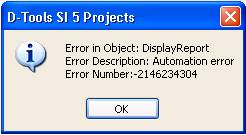
OrderTools Hotfix for SI5.2** This notice only applies to users who upgrade from a previous version of SI5 ** Special Notice for OrderTools users: After upgrading from SI5.1 to SI5.2, users may experience the following error message when attempting to preview, run or email a Purchase Order from OrderTools:
To correct this problem, perform these steps:Windows XP 1. Make sure SI5 is not running 2.
Browse to the C:\Program
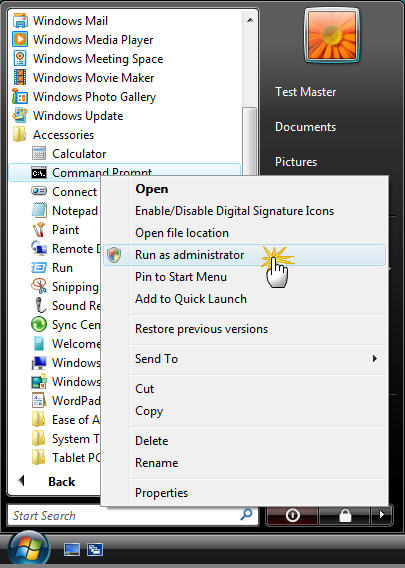
Files\D-Tools\SI 5 directory 3. Double-click the file named RegSi51.cmd Windows Vista 1. Make sure SI5 is not running 2. In the Start menu click on All Programs then Accessories 3. Right Click on Command Prompt and choose Run As Administrator
4.
At the command prompt type 5.
Then type regsi51.cmd
and hit Enter 6. Type “exit” to close the command prompt Performing these steps should solve the problem permanently. Contact D-Tools support at 1-866-386-6571 x2 if the error persists. |